Overview
The QNE API provides two endpoints to manage document knock-offs against a Receive Payment:
POST /api/CustomerReceipts/Knockoff
POST /api/CustomerReceipts/Match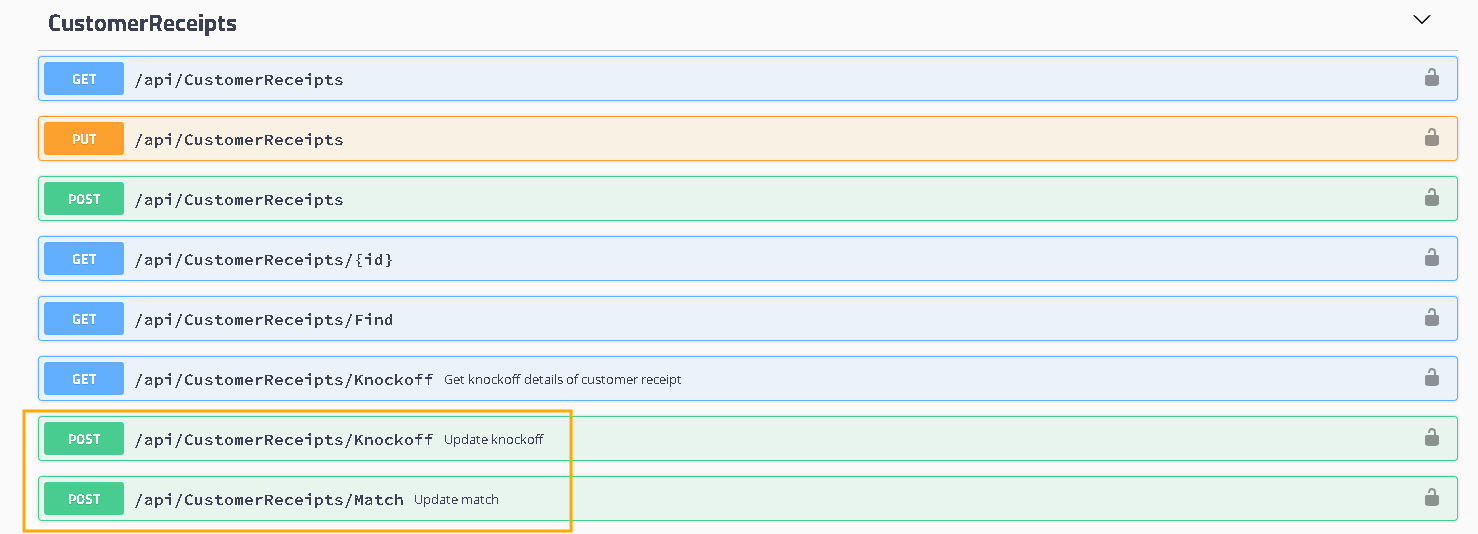
Although both endpoints are used to manage knock-off records, they work differently.
- Knockoff API: Replaces the entire knock-off list for the selected Receive Payment.
- ?Match API: Updates only the specified knock-off records while keeping all other existing knock-off records unchanged.
Understanding this difference is important to prevent existing knock-off records from being unintentionally removed when making API requests.
Scenarios and Solutions
Scenario 1: What is the difference between Knockoff and Match API?
Solution:
Both API endpoints operate on a Receive Payment only. The docId must be the Receive Payment ID.
They differ in how they process the knock-off records:
API Endpoint Behaviour
POST /api/CustomerReceipts/Knockoff Replaces the entire knock-off list with the records submitted in the request.
POST /api/CustomerReceipts/Match Updates only the specified knock-off records and leaves other existing records unchanged.
Scenario 2: What happens when using Knockoff API to add a new invoice to an existing Receive Payment?
Example:
A Receive Payment (RP001) has the following existing knock-off records:
Document Knock-off Amount
INV001 RM600
INV002 RM400
Total RM1,000
A new API request is submitted with only INV003 for RM200.
Solution:
The Knockoff API treats the submitted request as the complete knock-off list. Therefore, the existing knock-off records (INV001 and INV002) will be cleared, and only INV003 will remain.
To retain the existing knock-off records, include all existing invoices together with the new invoice in the same API request.
Scenario 3: How can I update one knock-off record without affecting other existing records?
Example: A Receive Payment has the following knock-off records:
Document Existing Amount
INV001 RM600
INV002 RM400
You want to update INV002 from RM400 to RM300 without changing INV001.
Solution: Use the POST /api/CustomerReceipts/Match endpoint.
This endpoint updates only the specified record based on its knockoffRefId. Other existing knock-off records will remain unchanged.
The Match API returns an empty success response when the operation is successful.
Scenario 4: Does the payment amount in the API request add to the existing knock-off amount?
Solution:
No. The payment field represents the new knock-off amount for the specified document. It does not add to the existing amount.
For example:
Existing knock-off amount: RM600
New payment value submitted: RM200
Resulting knock-off amount: RM200
It will not become RM800.
Scenario 5. API Document Requirements and Supported Document Types
Both endpoints require a valid Receive Payment ID in the docId field.
The supported document types for knock-off lines are:
Document Type Description Support
INV Sales Invoice Supported
DN Customer Debit Note Supported
JV Journal Entry Detail Line Supported
Credit Note Sales Credit Note / AR Credit Note Not supported
Important Notes for Journal Entry (JV):
Only journal detail lines that debit the customer account are accepted.
Journal detail lines that credit the customer account are not accepted.
For JV, knockoffRefId must contain the journal detail line ID, not the journal entry header ID.
A Credit Note ID or Journal Entry ID cannot be used as the docId. Otherwise, the API will return an "Invalid receipt id" error.
Important Notes
- Knockoff API replaces existing records: Always submit the complete knock-off list if you want to retain existing records.
- Match API updates specific records: Use Match when you only need to modify selected knock-off records without affecting others.
- Payment amount is the replacement amount: The payment field specifies the new amount for the document, not an additional amount.
- Use the correct document ID: Both endpoints require a Receive Payment ID in docId.
- Credit Notes are not supported as knock-off lines: Do not submit Credit Note records as knock-off documents.
Recommendation: When updating individual knock-off records on an existing Receive Payment, use the Match API to avoid unintentionally clearing other existing knock-off records.
Was this article helpful?
That’s Great!
Thank you for your feedback
Sorry! We couldn't be helpful
Thank you for your feedback
Feedback sent
We appreciate your effort and will try to fix the article