Overview
QNE API functionality and available API methods may depend on API document and the QNE Optimum version being used.
To ensure API compatibility and access to the latest supported features, customers are advised to check the requiremetn version and upgrade accordingly
Scenario
Customers may encounter API-related issues such as API requests fail or do not function as expected due to version compatibility e.g. PUT api didnt get updated)
These issues may occur when the customer is using an older version of QNE Optimum that does not support the required API functionality.
Solution
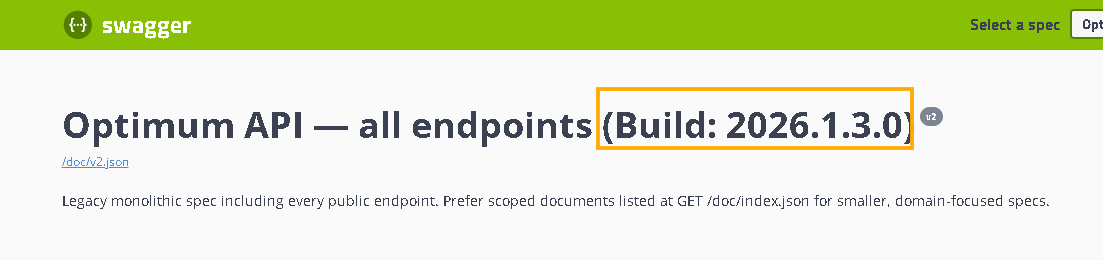
Step 1: Verify API availability and minimum version requirement, it has stated on top of the API document
Example:
Step 2: Check the current Optimum version
Ask the customer to confirm their current QNE Optimum version.
Step 3: Arrange a version upgrade
If the customer's current version is below the required minimum version, arrange software upgrade.
Was this article helpful?
That’s Great!
Thank you for your feedback
Sorry! We couldn't be helpful
Thank you for your feedback
Feedback sent
We appreciate your effort and will try to fix the article